A website that handles bulk lots and municipal buyers without turning into a spreadsheet
A government and fleet auction website has to present large lot counts clearly, because a buyer looking for one specific vehicle in a hundred-lot municipal surplus sale needs to filter and search, not scroll a long undifferentiated list.
Built for government and fleet auction operations, not a generic auction template
If your house runs government and fleet auction operations, the site is built around the terms, timelines and registration rules specific to that format, rather than a listing template built for a different sale type entirely.
We build for fleet and surplus sales across the United States, including large public-sector and fleet markets in Ohio, Tennessee, Florida and California.
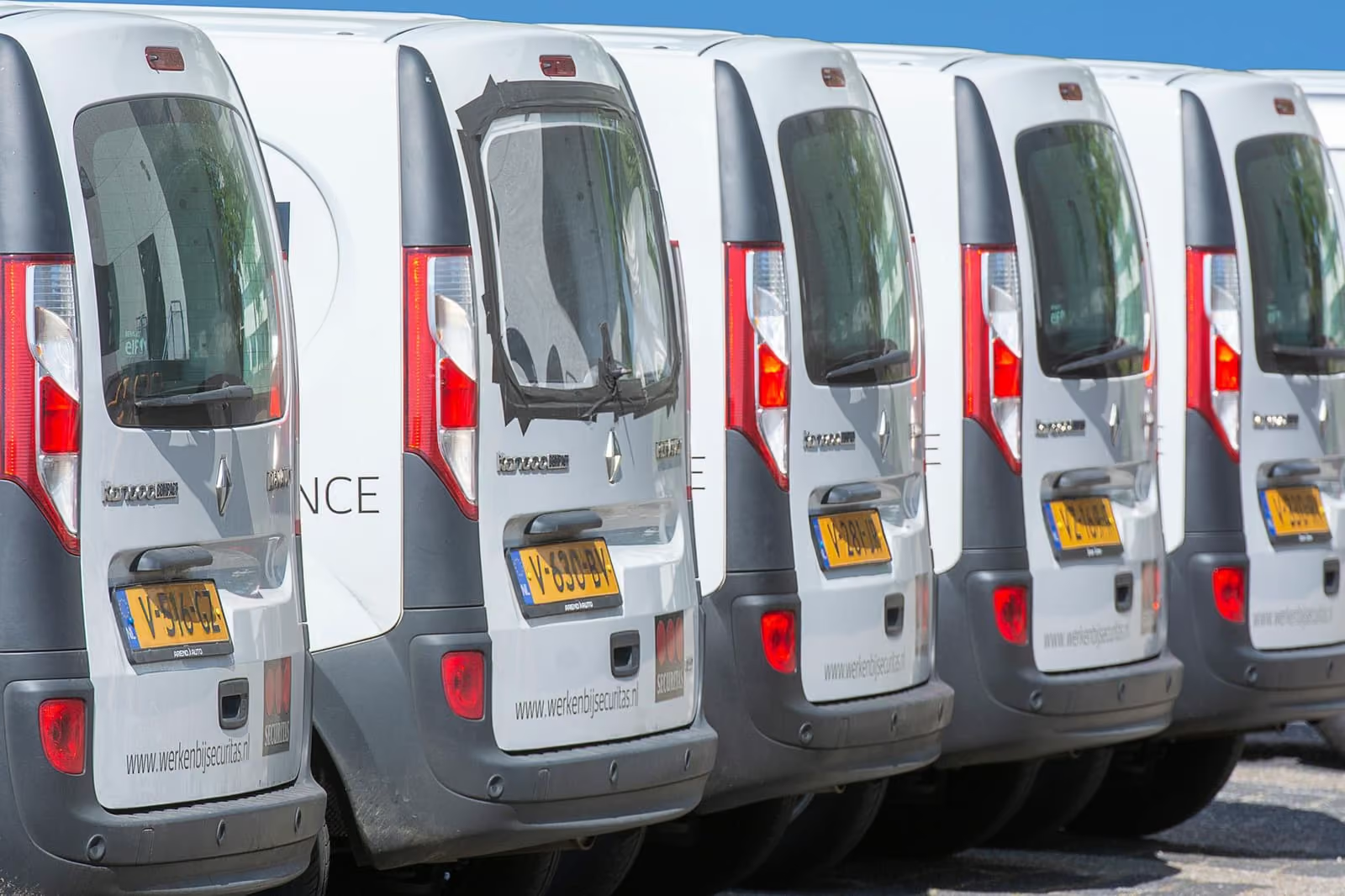
Four problems specific to government and fleet auction operations
A large lot count with no filtering makes the site unusable for a buyer looking for one specific vehicle type or agency.
There is no page explaining bulk-lot or fleet-package bidding, which differs from single-vehicle bidding.
Municipal and agency consignors have no dedicated page explaining how a surplus sale is set up and reported.
Sale results are not organized by agency or department, making it hard for a municipality to review its own outcomes.
The pages built for government and fleet auction operations
- 1Home
- 2Filterable lot catalog
- 3Bulk-lot and fleet-package bidding
- 4For municipalities and agencies
- 5Sale results by agency
- 6Registration and deposit
- 7Sale-day schedule
- 8Contact
Agency consignment intake form
Captures agency name, fleet size and vehicle types for a municipal or fleet consignor, routed into your CRM for account setup.
How does the AI Engine help government & fleet sales?
Answers questions about sale dates, inspection days, payment deadlines and pickup, and hands anything about a specific unit to your staff.
- AI receptionist for calls your team cannot take. Answers routine calls about sale times, registration requirements and lane information at any hour, and hands anything vehicle-specific to a person. Every conversation is available in a call-analysis PDF.
- AI chat widget on the site. A chat on every page that answers the same routine questions in writing and takes enquiry details for your team.
- AI answers on SMS, Messenger and Instagram. The same assistant replies to text messages, Facebook Messenger and Instagram DMs, and routes buyer registrations to your team.
- A2P 10DLC SMS registration handled. We file the carrier registration business text messaging needs in the US. Carrier fees are passed through at cost.
On Condition Report and Full Consignment.
What content gets published for you?
Articles on how surplus and fleet sales work, what buyers should bring, and pickup and payment terms in general.
Run List: 2 articles a week. Condition Report: 2 articles a week. Full Consignment: 3 articles a week.
What government & fleet houses report
We reviewed the draft on handsets rather than a big screen, deliberately. The important details sit near the top and the inquiry button is impossible to miss. The days of talking customers through the menu are over.
We took the wording about vehicle auction registration seriously, and I am glad we did. It is accurate about the process and careful not to promise what only a conversation can settle. The awkward 'that's not quite what we meant' conversation has largely disappeared.
We have more than one contact point, and the old vehicle auction registration page never said which applied where. Each service description carries its own local contact, and the form inherits it. Customers no longer need a map of our internal structure.
What happens after you order?
- Order
You pay the first month
That starts the plan and books your build. No build fee is charged at this point.
- Call
One onboarding call
About 30 minutes on your lanes, sale formats, run list, domain and CRM. You leave with a launch date.
- Supply
You send what you already have
A recent run list, one condition report, lot photos, sale terms and fees. One person on your side approves pages.
- Build
We build and you review
Every page, registration, hosting, redirects and the compliance pages, with your notes gathered in the client portal.
- Launch
You approve, it goes live
Live in 7 to 15 days depending on plan. The build fee is invoiced only after you approve.
- Run
Weekly updates from then on
Run list changes, 5 revisions a month, articles every week, and on higher plans the AI Engine and Content Engine.
Every tier fits government and fleet auction operations
- Run ListThe website, fully managed, live in 7 days
- Condition ReportEverything, plus the AI Engine, live in 10 days
- Full ConsignmentEverything, plus the Content Engine, live in 15 days
Questions from government and fleet auction operations
Can the catalog be filtered by vehicle type, agency or lot size?
Yes, filtering is built into the catalog template so a large sale stays usable rather than becoming one long undifferentiated list.
Can bulk-lot bidding be explained separately from single-vehicle bidding?
Yes, a dedicated page walks through how a fleet package or bulk lot is bid and settled, since that process differs from bidding on one car.
Can sale results be grouped by agency for reporting?
Yes, results pages can organize by consigning agency, useful when a municipality needs to reference its own outcomes for a public record.
Do you manage the actual disposal or surplus process?
No, we build the site and the pages that present your sales; the disposal process, approvals and compliance stay with your agency relationships.
Can listings show the agency and unit number?
Yes. Agency, unit number, department and pickup location can be fields on every listing.
Can we publish removal deadlines?
Yes. Payment and removal deadlines sit on each sale page and on every lot.
Do you meet public-sector accessibility requirements?
The site is built with the Americans with Disabilities Act (ADA) and WCAG 2.2 AA in mind and launches with an accessibility statement. Your procurement team should confirm any specific contract requirements.
Can multiple agencies consign to one sale?
Yes. Each lot carries its consigning agency, and a sale page can group lots by agency.
See it built for government & fleet
A live walk-through, on your screen, of the site you would get.
Book a demoAlso built for: Dealer-only, Public auctions, Salvage